U.S. state map
Difficulty: easy
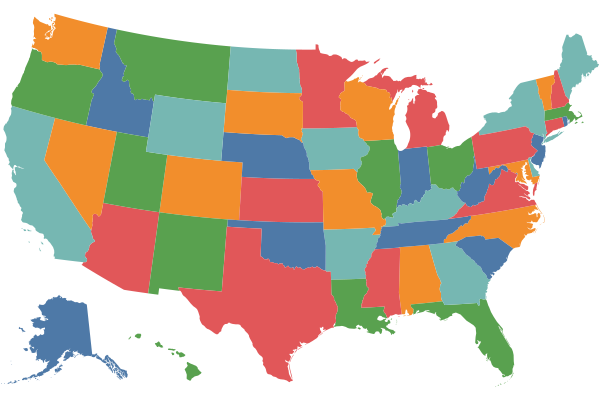
Steps
- Load state/province polygons (source: Natural Earth)
- Keep only U.S. states
- Project to the "Albers USA" projection
- Assign random, non-adjacent colors
- Add a stroke to borders between two states
- Export as SVG
Code
mapshaper \
-i ne_50m_admin_1_states_provinces_lakes.geojson name=states \
-filter 'admin == "United States of America"' \
-proj albersusa \
-classify non-adjacent colors=Tableau10 \
-innerlines + name=innerlines \
-style stroke=white stroke-width=0.5 \
-target states,innerlines \
-o us-states.svg height=400 width=600
Notes
- To see the list of built-in color schemes to use with
-classify, runmapshaper -colors. You can also usecolors=random. - The Albers USA projection (
-proj albersusa) is a custom projection used by The New York Times for U.S. maps. - Applying a stroke to interior lines using
-innerlines(and not to exterior lines) creates a more accurate and crisper-looking coastline.
Assets
- Open in the web app — loads a snapshot file containing the finished map
- Download snapshot (
us-states.msx) - Download source data (
us-states.zip)